Doweling
Doweling
|
|
|
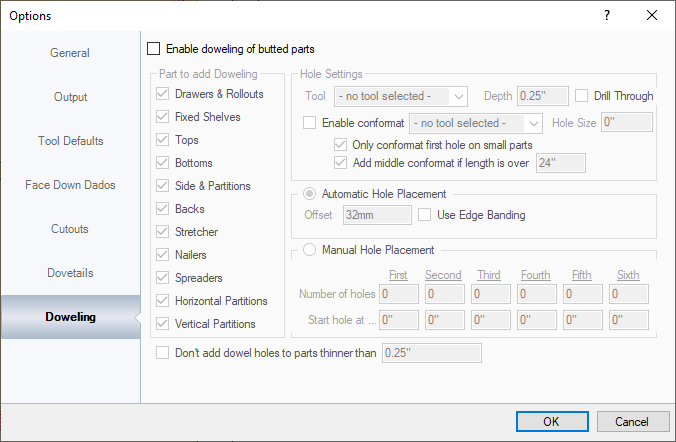
This section sets up dowel holes for butt jointed parts only. Parts to add Doweling: This specifies which parts get dowel holes added to. Hole Settings: This section sets up which tool to cut the dowel holes with, including depth and drill through. Conformat settings are also set in this section since they are a different size than a normal dowel hole usually. Normally conformat holes are first and last hole in a line but if the part is over a set distance, a middle conformat hole can be added. Automatic Hole Placement: This sets up a line bore at whatever office distance is specified. That distance is 32mm by default. Manual Hole Placement: This section is a bit more custom and applies to ALL PARTS that are enabled for doweling.
NOTE: IF THE HOLES SPECIFIED RUN OFF THE END OF A PART BECAUSE THE PART IS TOO SMALL, WORKSHOP WILL NOT CREATE THOSE HOLES. THAT IS WHY THE HOLE DISTANCES SPECIFIED SHOULD BE CREATED TO FIT ON THE LARGEST PART. Don't Add Dowel Holes to Parts Thinner Than: If the parts are too thin, the dowel holes may not be strong enough or useful. If the part is below whatever size it is that is specified, it will not create dowel holes on it. |